Knowledge support for industrial teams
Keep expert knowledge on the floor.
For industrial training and maintenance teams. Add an expert's short written notices, ask a question, and get a brief answer that shows which notice it came from. Try it on your own non-confidential notes in your browser.
Bring your own notes or explore the example demo. See how it works.
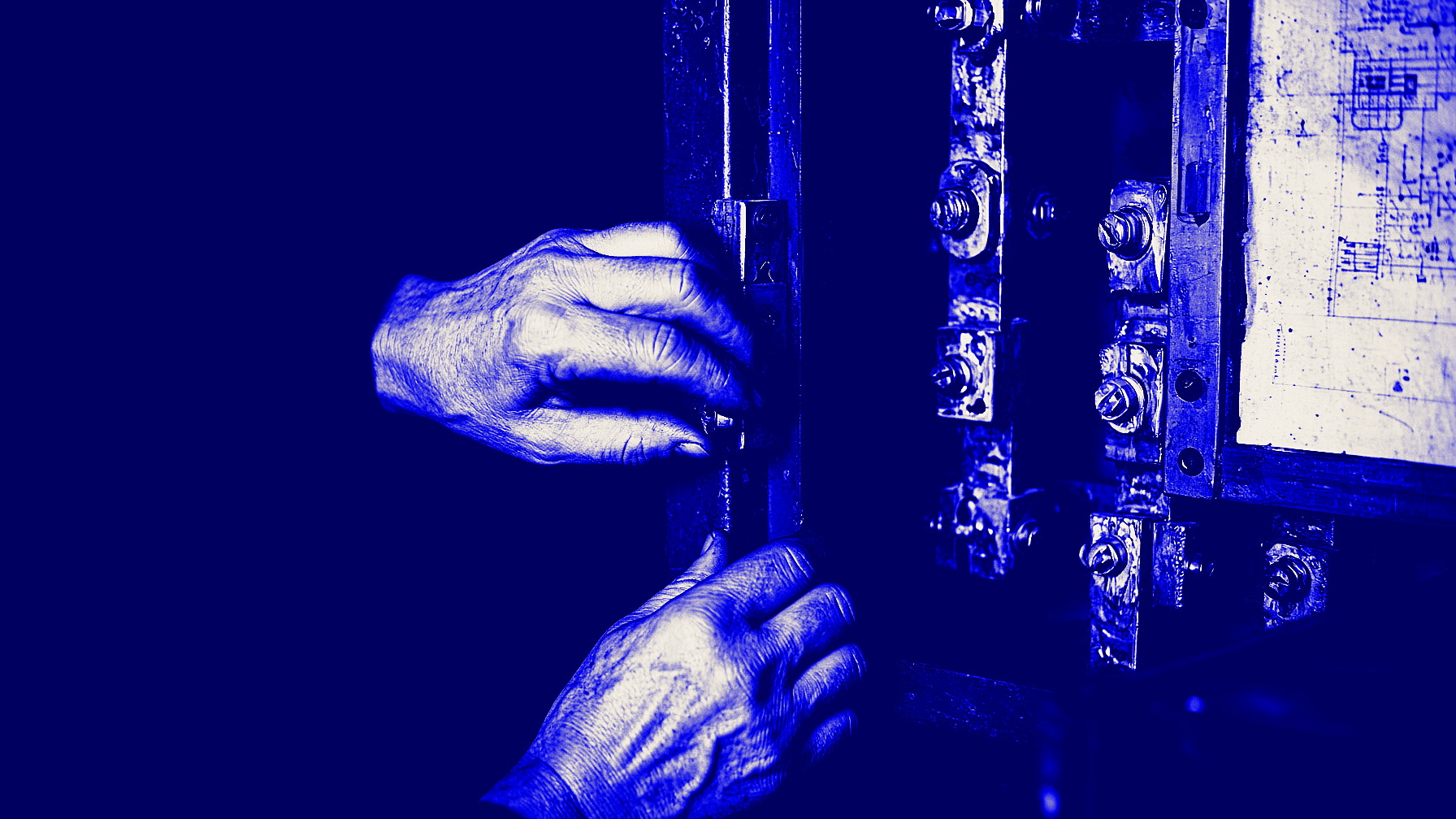
Example notice · Plant electrician · fictional
音Hum
This panel hums in sixty and in one-eighty. The third harmonic is the motor two rooms over, not this circuit. Find that motor before you change a breaker.
Source: written notice, authored for the demoOpen in demo
00//Try it · no signup
Demo: coach a new hire as a retired electrician would.
Pick a trade, tap a mark on the image or read the notices, then ask a question. All people, plants and notices here are fictional. This is a demonstration only. It is not qualified electrical, mechanical, medical, or safety instruction.
Plant electrician · 37 yrs · the shop
Frank
He hears a bad harmonic two rooms before he opens the panel.
Source notices (the only material the coach uses)
Read every example notice as text
Frank · Plant electrician
He hears a bad harmonic two rooms before he opens the panel.
- Hum
- This panel hums in sixty and in one-eighty. The third harmonic is the motor two rooms over, not this circuit. Find that motor before you change a breaker.
- Crystal
- The insulation is not melted. It is crystallized. That is age, not load. Replace the run. The breaker is innocent.
- Torque
- These lugs were tightened for the inspector, not for the heat. A quarter turn more and you will not be back in November.
Millwright · Rotating equipment
He feels a coupling go before the accelerometer agrees.
- Soft foot
- The housing is walking. That is not imbalance. That is a soft foot. Do not add weights. Put a feeler under the rear inboard and watch the indicator drop.
- Oil
- This oil is milky. Water, not heat. The cooler is lying. Drain it. The bearing is still honest for a week, not a month.
- Coupling
- The indicator dropped two thousandths at ninety degrees. The base is the problem, not the motor. Shim the mill, not the drive.
Inspector · Airworthiness
Condensation inside the glass is a confession.
- Glass
- Condensation inside the glass is a confession. This instrument has seen a cold soak it was not logged for. Ask where it slept.
- The chart
- The chart is torn along a fold someone used as a rule. That crease is a heading they flew too often. Ask why.
- Brass
- The bezel has been handled with a rag that carried solvent. The lacquer is thinning at six o'clock — the anxious hand. Who was nervous?
Trauma lead · Resuscitation bay
She watches the room. The intern watches the monitor.
- The room
- The room is too quiet. Quiet is a vital sign. Someone has stopped talking because they have started hoping the numbers will save them.
- Color
- Color goes wrong before the saturation drops. Look at the ear, not the probe. You have about a minute of honesty left.
- Gaze
- The intern is watching the monitor. Watch the patient. Instruments report the past. The face reports now.
Lead carpenter · Heavy timber
He reads a beam the way a physician reads a face.
- Load path
- The grain on the left stile runs eight degrees off the load path. In a storm thirty years from now it will split along that line, not this one. Turn the stock.
- The plane
- Someone planed this after rain. The surface is lying about its square. Wait. Then take a shaving thinner than paper.
- Season
- This joint was cut for a different season. Smell the resin — winter wood, summer tenon. It will speak in August.
01//The problem
The most useful knowledge on a plant floor is rarely written down.
Experienced people notice things
A sound, a smell, a coupling that walks. Manuals describe procedures, not the moment a veteran stops and says “that is wrong”.
Wikis and video miss the moment
Writing it up after the fact loses detail, and hours of footage nobody watches do not help a new hire at the machine.
Newer staff need a short line
At the point of work, one or two sentences from someone who has seen it before is worth more than a document.
02//How it works
From an expert’s notes to an answer you can check.
Three steps you can try now. No account, card or setup call.
01 // In the beta
Write what matters
Add up to 8 short, named notices: handover lines, training notes or a checklist step. Review and edit the text before asking. Use only non-confidential material you may share.
02 // In the beta
Choose how to ask
Find matching excerpts entirely in your browser, or acknowledge an optional AI request. The AI coach uses matching notices as context and returns source IDs that are checked against them.
03 // In the beta
Read the evidence
Check the original source text beside the answer. If information is missing, add a better notice. Download a local JSON notice pack before leaving if you want to keep your work.
Open the workspace or see the full product walkthrough.
03//Stage and scope
Public beta. What works today, and what is next.
Works today
- + Your notes: add, edit and review up to 8 named text notices
- + Your choice: browser-only matching or an optional AI answer
- + Your evidence: source text beside answers, plus a local JSON export
- + Five trade examples to explore before adding your own notes
Next: capture and team workflows
- – Camera or eye-tracker capture
- – Reviewer tooling and a persistent private team index
- – Accounts and access controls
- – Customer deployments (pilots start as a conversation)
Roadmap items are not available in the public beta.
Explore the product and the team behind it: see who builds it, the product walkthrough and the beta terms.
04//Pilots and pricing
Talk to us about a pilot.
- Explore Kageform
- Start with your own written notices. Try your notes
- Pilot
- For teams who want to go further than the public beta. Scope and pricing are agreed in conversation, with a separate written agreement. Sending this form opens an email draft; nothing is a registration.
Start with one workflow.
- Tell us which training or handover questions matter.
- Discuss the source material, required controls and evaluation criteria.
- Agree scope and price in writing before any pilot work.
Prefer plain email? Write to hello@kageform.dev or founder@kageform.dev.
05//FAQ
Straight answers
Who is behind Kageform?
Kageform is an independent product built and maintained by a small team. See the About page for the mission and contact details.
What is real right now?
The text-notice workspace is available in public beta: add up to 8 short notes, ask questions and check the source text beside answers. The example demo covers five fictional trades. Capture hardware, a reviewer tool and persistent team storage are roadmap items.
Does it capture video or eye tracking today?
No. The roadmap is a head-mounted camera with an optional eye tracker, a review step where a person writes each notice, and a private per-customer index. None of that exists in the code yet, and we have not set dates for it.
Can I try my own notes without sending them to AI?
Yes. Add your notes in the workspace and use Find in browser. It selects excerpts by word overlap entirely on your device. Ask AI coach is separate: it requires acknowledgement before your question, topic and notices go to our server and matching notes may go to a third-party AI provider, described in Privacy. Clear, reload or leaving the workspace removes the page copy; local exports are yours to keep.
What happens to the question I type into the demo?
Your question and that trade's example notices go to our server and may be processed by a third-party AI provider. Privacy lists the provider and retention limits. If AI is unavailable, Kageform shows a matching written notice rather than inventing an answer. Replies distinguish AI answers from written excerpts. Do not enter confidential or personal information.
Can I rely on it for safety work?
No. Answers can be wrong and are for training support only; demo examples are fictional. They are not qualified electrical, mechanical, medical, or safety instruction. Follow your site procedures and a qualified person.
How do I get pilot access?
The public beta needs no signup: use the workspace. For a team pilot, write using the contact form on this page or email hello@kageform.dev. Scope and pricing for a pilot are agreed after a conversation, with a separate written agreement.